Members and roles
Adding people, what the four roles can do, how access to a collection is granted, and the one mistake to avoid.
What it is for
A member is a person who can sign in to this workspace. What they can do comes from two things: their role in the workspace, and the access they hold on each collection.
The four roles
| Role | What it can do |
|---|---|
| Owner | Everything, including settings, security, billing, and adding other owners. Have two. |
| Admin | Manage members, collections, access, retention, and the dictionary; not the workspace's settings. |
| Editor | Upload, curate the dictionary, and set document details in the collections they can reach. |
| Viewer | Read and ask about what they are granted, and nothing else. Most members are viewers. |
The three things most people do
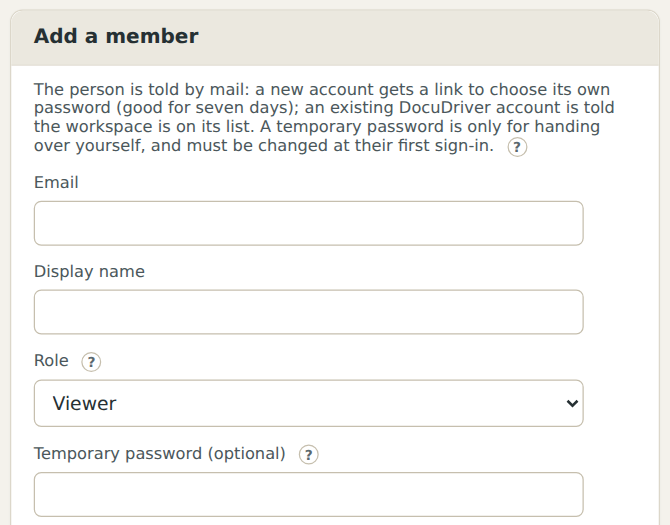
Add a member. Open Members, enter an email, a display name, and a role, and add them. They receive a mail with a link that works once to choose their password; no password passes through you. A person who already has a DocuDriver account from another workspace signs in with their existing password.
Grant access to a collection. Open the collection and look under Access. A grant gives a role (every viewer, say) or one person a level on that collection: See (knows it exists), Ask (the assistant may answer from it), or Download (Ask plus the file itself). A document in a collection inherits the collection's grants.
Check why someone can or cannot reach a document. Explain access, reached from the Hierarchy page's toolbar, evaluates one member against one document and says in words every rule that applied. View as shows the workspace as that member sees it.
Larger organizations
When the organization has a structure of its own (divisions, departments, offices), the institutional hierarchy lets you map a collection to the unit whose material it is, so that everyone in that unit, and everyone in the units above it, holds a right on it without a grant per person. See The institutional hierarchy.
The one mistake to avoid
One owner. If that person is away or leaves, nobody can change settings or add members. Add a second owner in the first week.