Your documents, understood.
Teams keep what they know in files: procedures, reports, spreadsheets, training guides, the code behind a dashboard. The knowledge is there; getting it back out is the hard part. DocuDriver keeps those files in one place, lets you decide who may see each group of them, and lets anyone with access ask a question in plain words and get an answer drawn only from those files, with the source shown.
About two and a half minutes, recorded from the product on a fictional workspace. The captions carry the narration.
Keep files together the way your work is already organized.
Drop files in. Group them by project, department, or subject, and move them whenever the work changes. Word, PDF, Excel, PowerPoint, SQL, and the files behind your reports are read on arrival; anything else is kept safely alongside them. Nothing is retyped and nothing is lost.
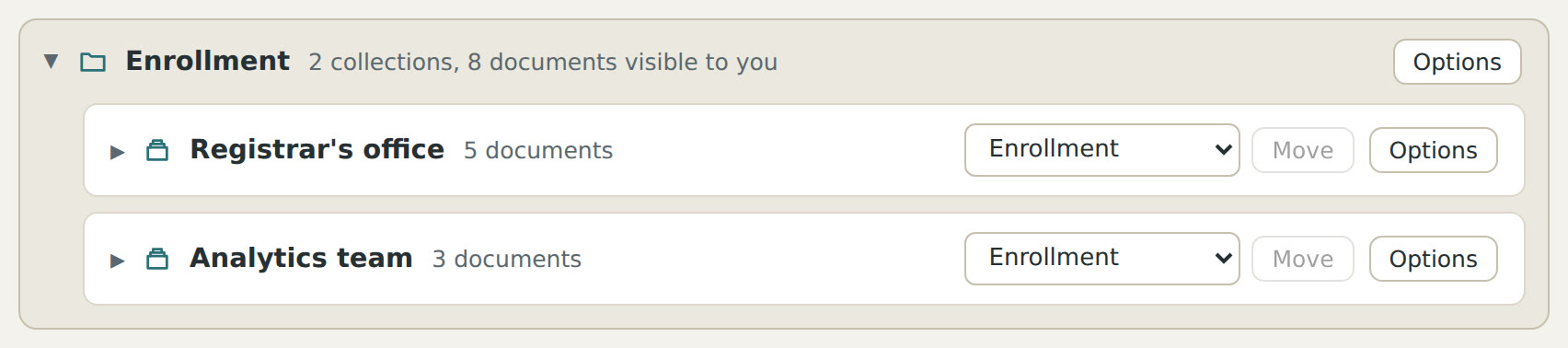
1Groups of files, kept in folders the way the office is organized. 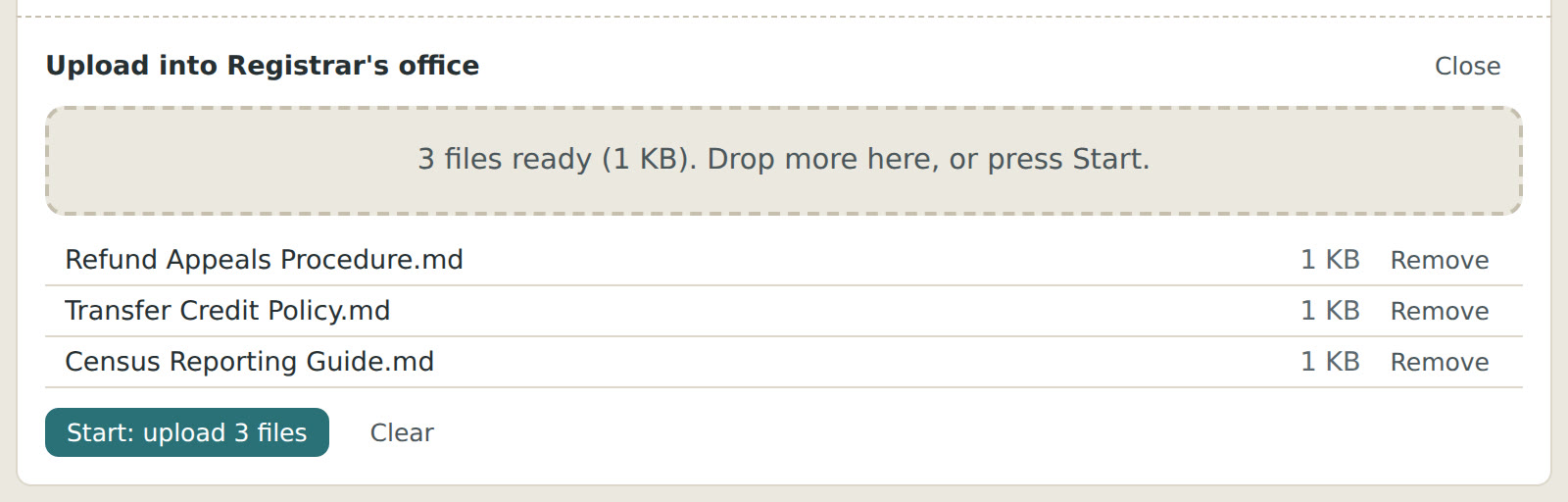
2Three files dropped straight onto a group. 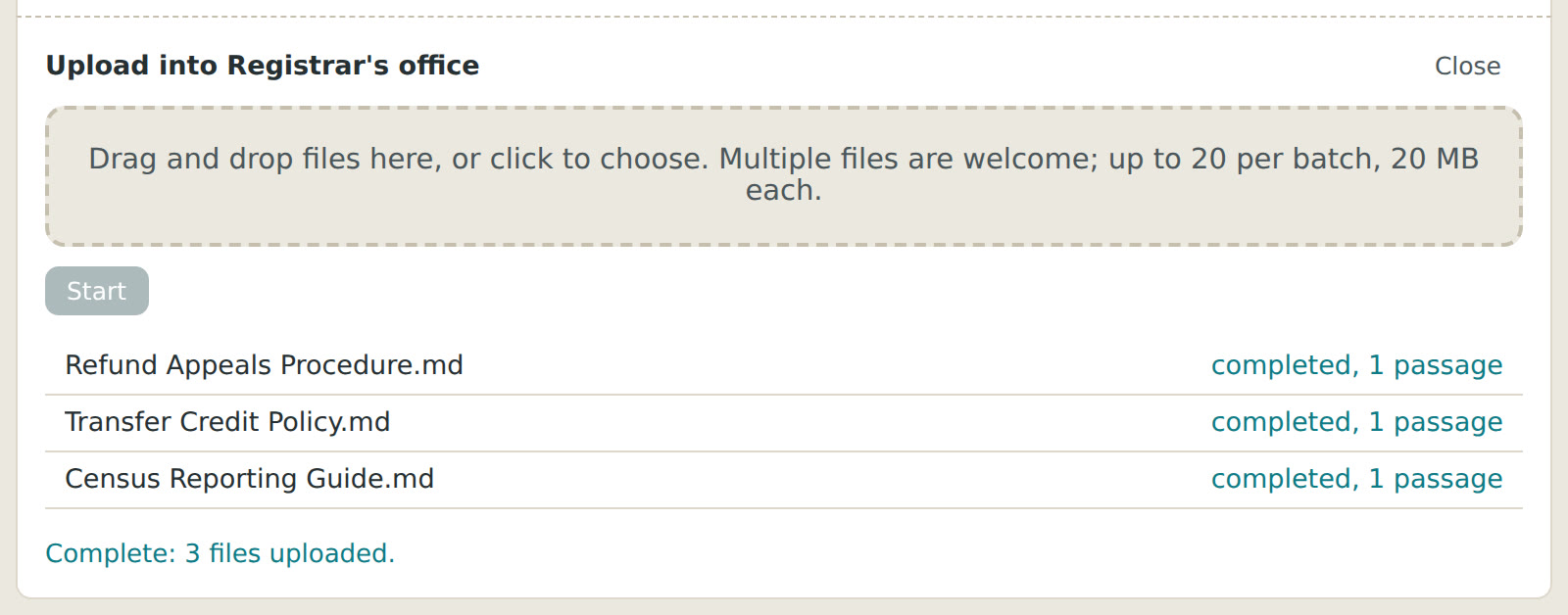
3Seconds later, each one has been read.
Decide who sees what, once.
Give a person or a whole team access to a group of files and they see those files and nothing else. Access follows the file wherever it moves. Someone who may only ask questions about a file cannot download it. Every view and every change is recorded, so you always know who saw what.

1A group of files, with its access control right beside it. 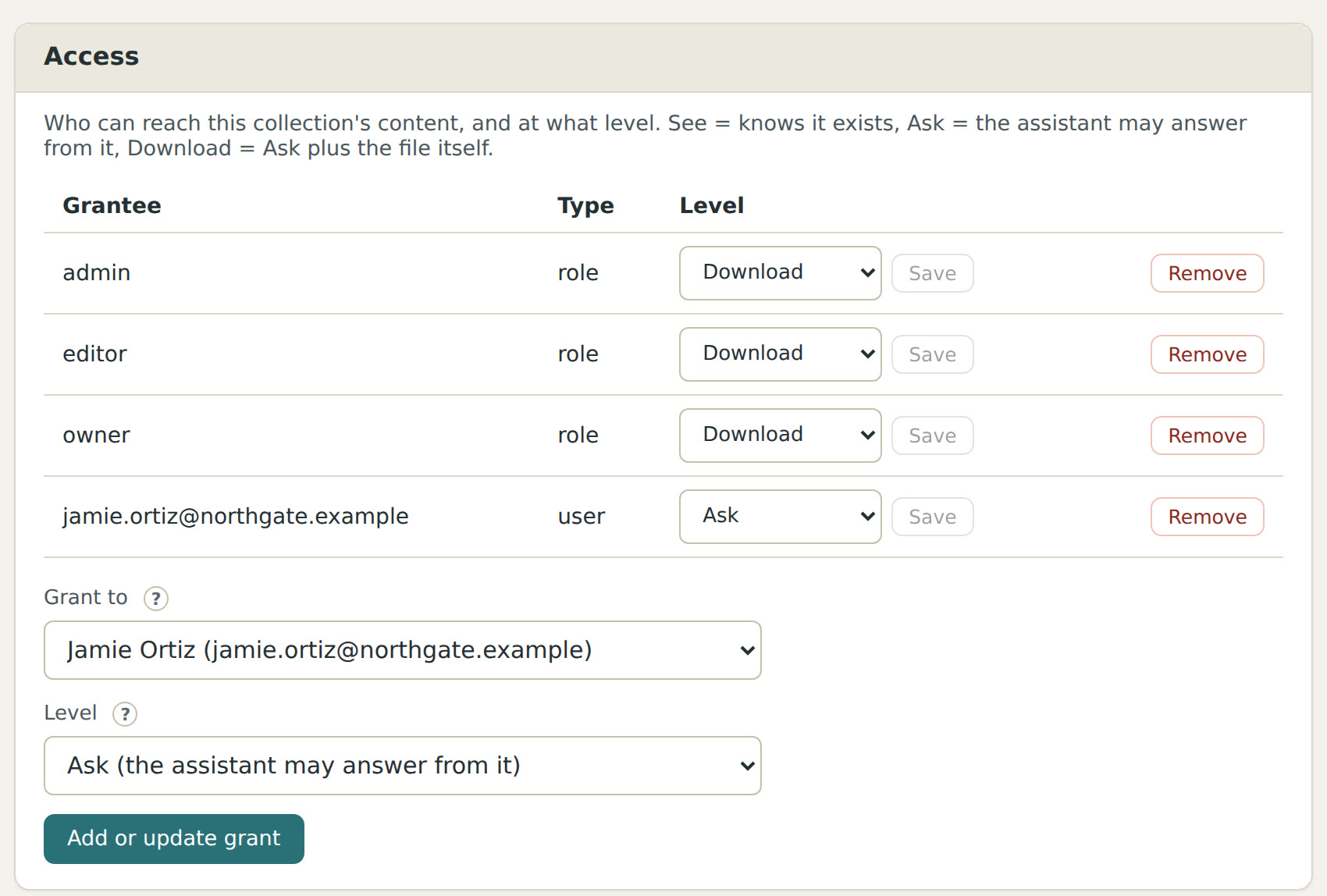
2Jamie is given access to this group, allowed to ask questions only. 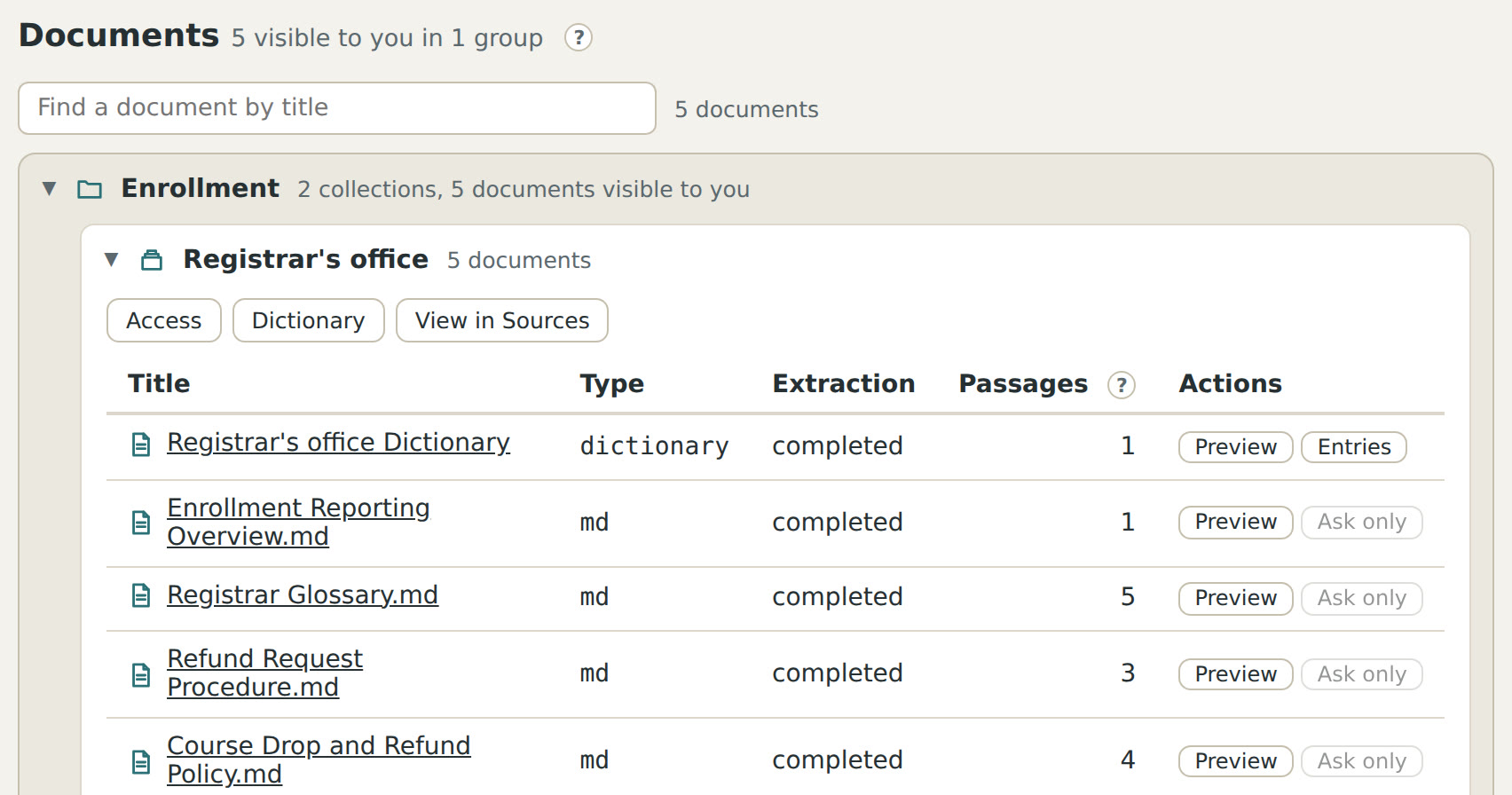
3What Jamie sees: those files and nothing else, with no way to download them.
Ask a real question. Get a real answer, from your own files, with the source.
A search box finds a word. A question finds an answer. Ask “a student dropped a course after the deadline and is asking for a refund; what are the steps?” and the answer is the steps, pulled from the right policy and the right procedure, even if those live in two documents written four years apart. Ask “what does this report actually calculate?” and the answer is a plain explanation of a query nobody wants to read line by line. Ask “what changed between the old procedure and the new one?” and the two are compared for you.
Questions can be as thoughtful and as complicated as the work: which of our reports would be affected if the term table changed?, summarize what the onboarding guides say a new analyst must do in the first week, where do these two documents disagree? The answer comes only from the files the person is allowed to see, says exactly where it came from, and says plainly when the files do not cover it.

1The question, in plain words. 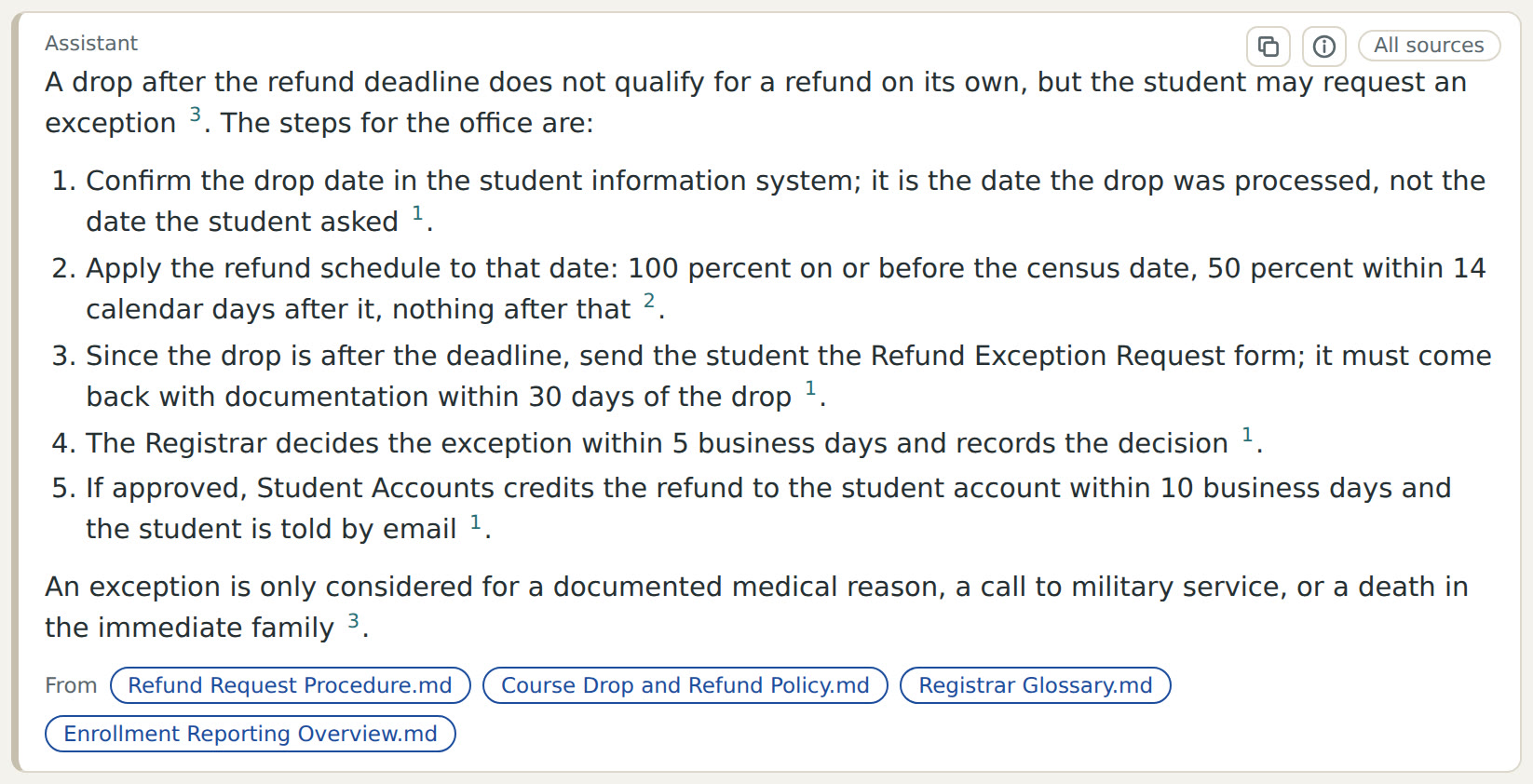
2The answer: the steps, each with a note saying which file it came from. 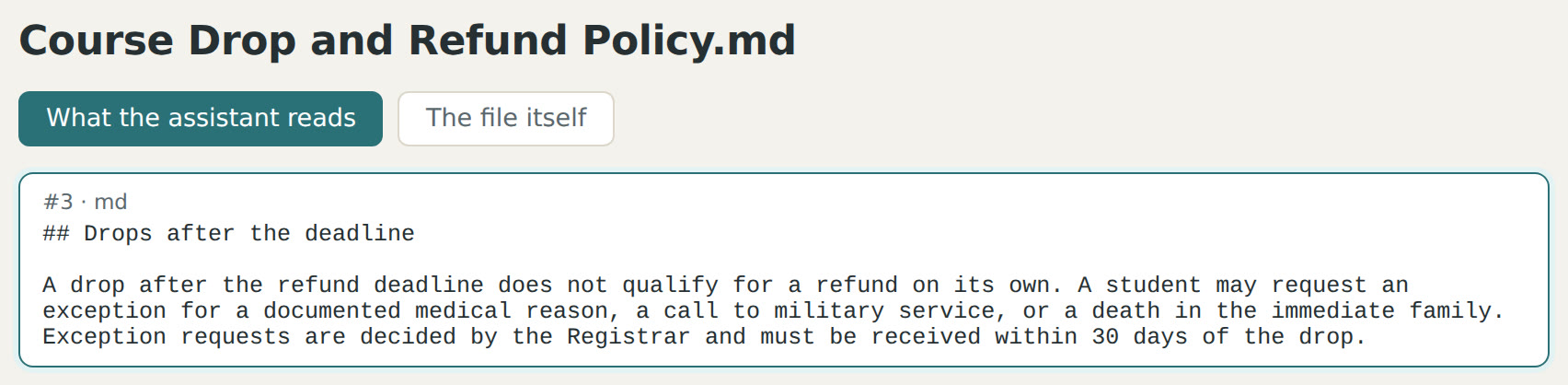
3Open a note and the file opens at the exact paragraph.
Why not just search, or just use a chatbot?
Better than Find. Find locates a word in one file you already opened. It cannot read across hundreds of files, it cannot tell that “withdrawal” in one document is the same thing as “drop” in another, and it cannot turn what it finds into the answer. A question here reads everything the person may see, understands what the documents mean, and brings back the sentences that matter with the files they came from.
Better than pasting into a general AI tool. Pasting a file into a chatbot gives one person one answer about one file, with no control over where that file went and nothing to show where the answer came from. Here the files stay in your workspace under your rules, every person asks only across what they are allowed to see, the terms your organization has defined are answered the same way for everyone, each answer cites its source so it can be checked, nobody re-uploads anything, and the whole thing is on the record.
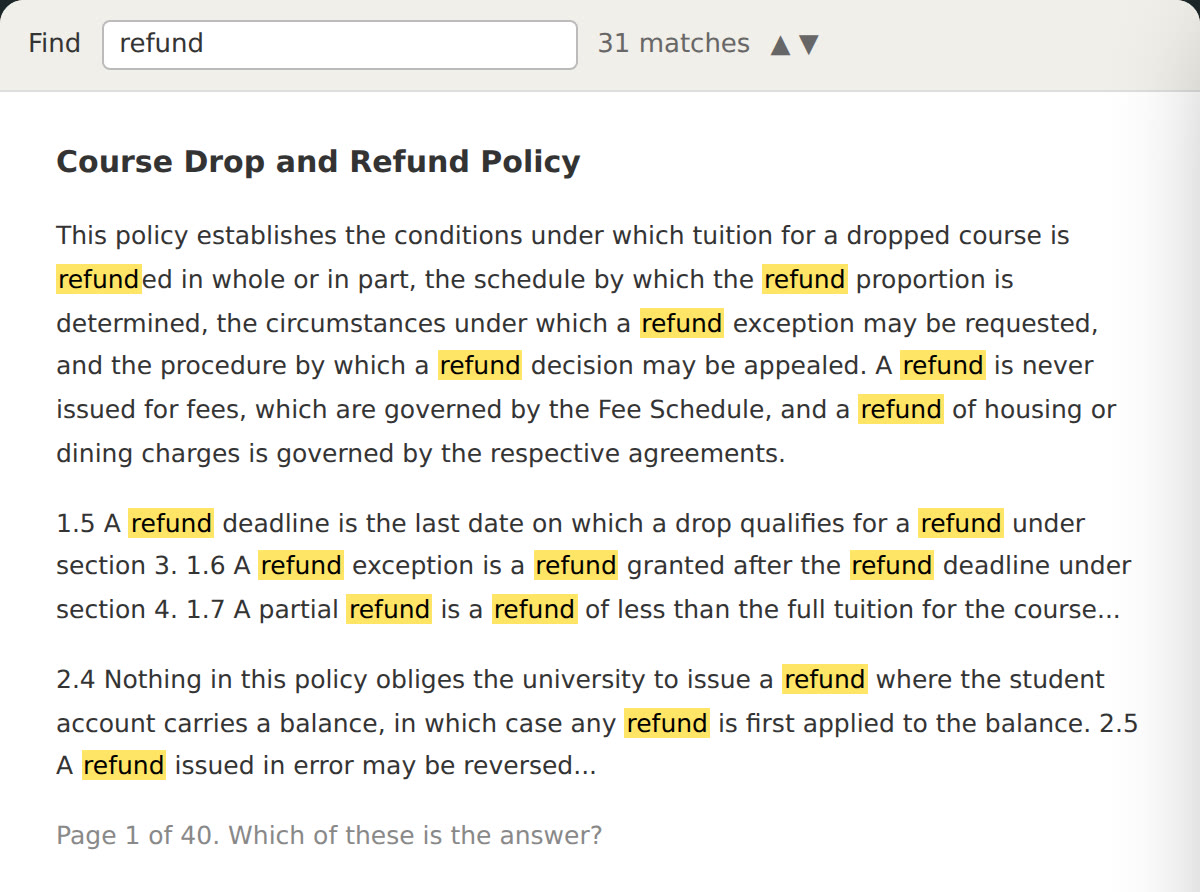
1Find: 31 matches for one word, in one file, and still no answer. 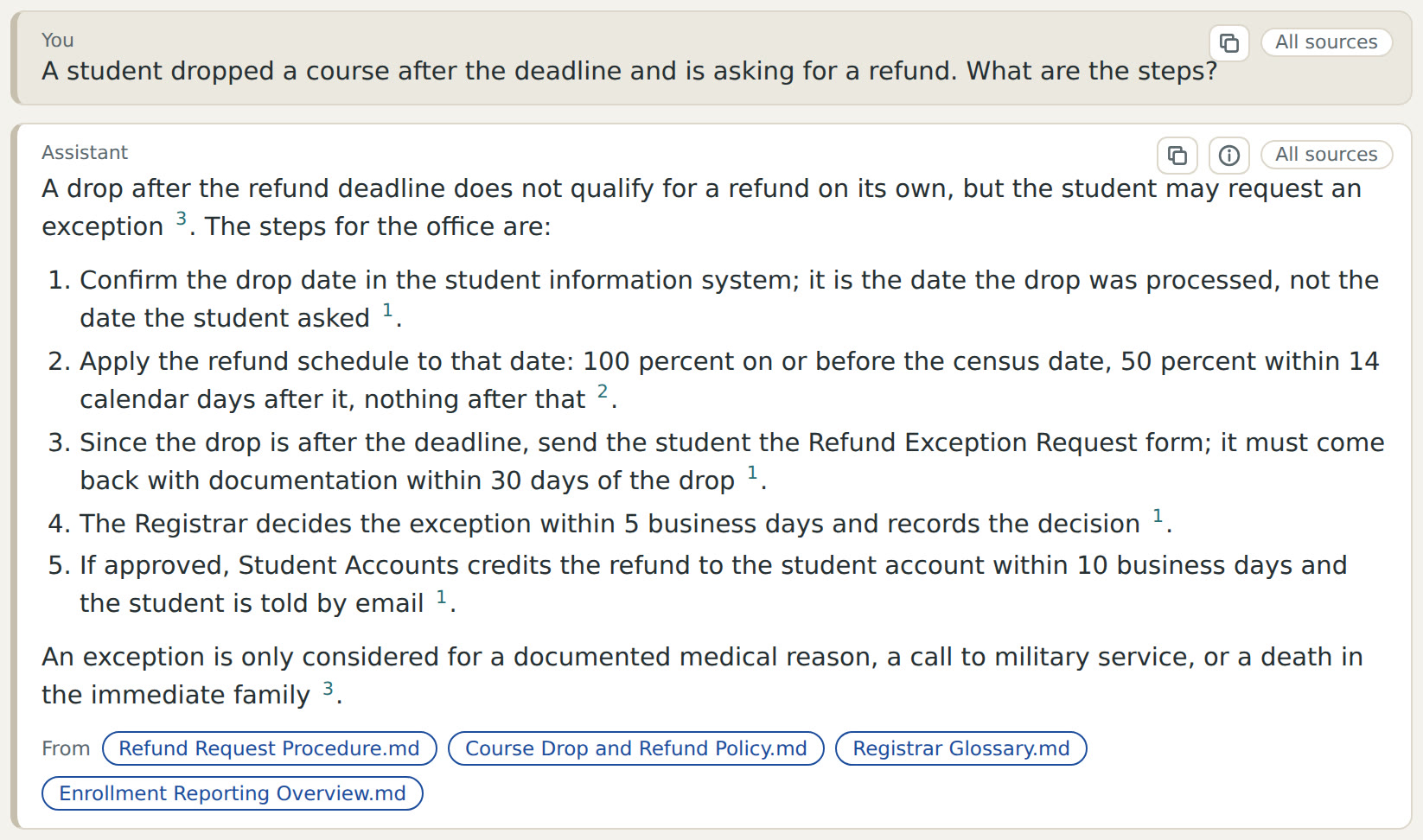
2A question: the answer, with the files it came from.
Built for the teams who keep an institution's knowledge in files: analytics and reporting groups, registrars, finance offices, IT, and the consultants who serve them.