The dictionary
How entries are proposed from your documents, why approving them matters, and how the assistant uses them.
What it is for
The dictionary is the curated list of what your documentation defines: terms, tables, fields, measures, reports, queries, and rules. Each entry has a definition in your words, where it came from, and where it is used. An approved entry is what the assistant trusts first when a question names the thing, ahead of any passage, which is how two documents that describe the same measure differently stop producing two different answers.
The three things most people do
Entries arrive on their own. As soon as a document is indexed, the product reads it for the things it defines and makes an entry for each, approved and in the collection's dictionary at once, with the passage it came from attached. A SQL file yields tables and columns; a measure definitions file yields measures; a policy yields terms and rules. Text files are read on arrival; the others as the worker finishes them. The document's row on the workspace page then shows Edit N entries.
Correct or reject. Edit N entries opens the entries made from that document. Read them when you have a moment: rewrite a definition in your own words (the dictionary is rebuilt as you save), or reject an entry that should not be there. A rejected entry stays rejected: a later re-read of the document, or a new version of it, does not bring it back, and Back to draft or Approve on its row is the way to change your mind. You never need to upload a corrected file for the dictionary's sake; edit the entry instead. Scan for entries appears on a row where nothing was found on its own, for a second look by hand.
The dictionary follows the sources. It is a reading of your documents, so it moves with them. Upload a new version of a file and its entries are read again: what the new version no longer defines is removed, what is new is added, an entry you edited keeps your words, and a rejection stands for as long as the file still defines the thing. Delete a file and every entry made from it goes with it, and the collection's dictionary is rebuilt. Entries you added by hand have no source and are never touched by any of this.
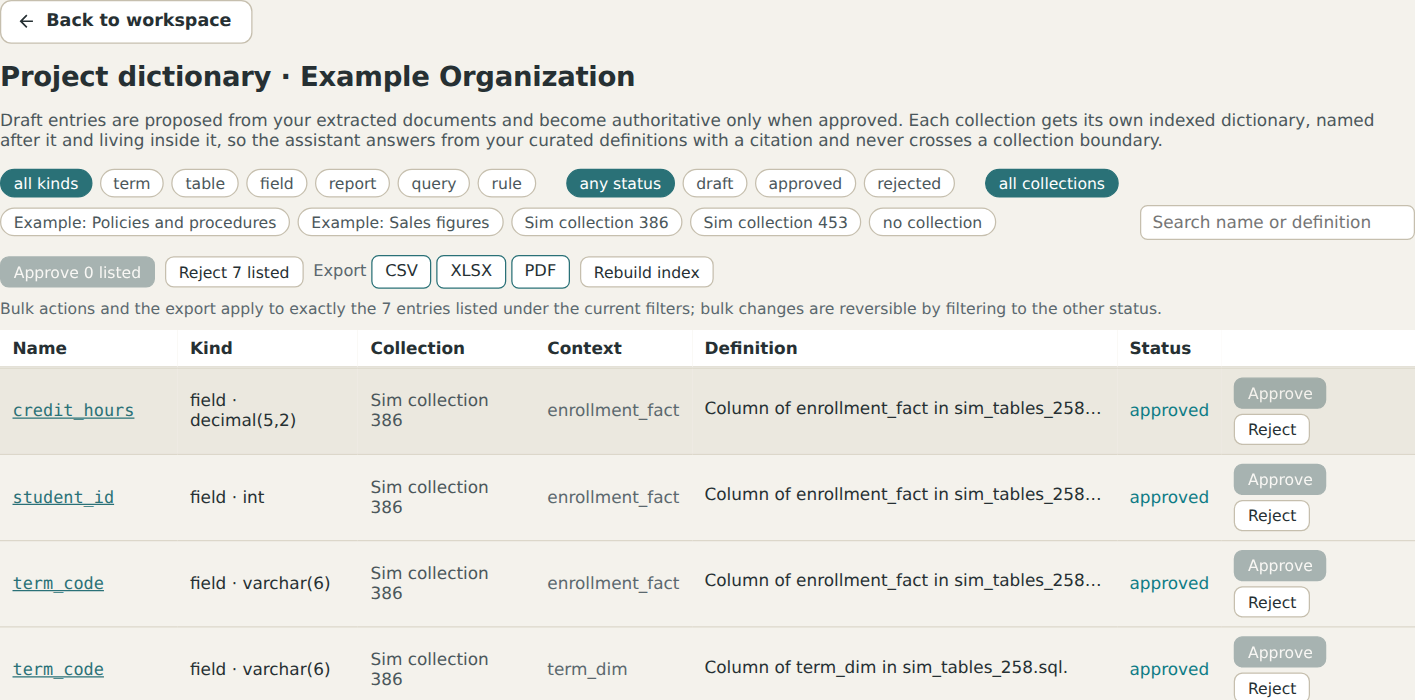
Open an entry. Each entry has a page: its definition and formula, a table's columns with their types and statuses, the document it was defined in (opened at the exact passage), the other documents that mention it, what it uses and what uses it, and ready questions to ask about it. Names of entries in an answer are links to these pages.
How the assistant uses it
When a question names an entry, the entry's definition is read first and cited as the dictionary. When an answer mentions an entry, the name is a link. When a question is about a table, the answer can list its columns from the entry rather than guessing from passages. The dictionary is the part of the product that compounds: every approved entry makes the next answer more exact, and the Documentation gaps page lists the things your documents name that have no entry yet.
The one mistake to avoid
Leaving everything as draft. A draft entry is read, but marked as unconfirmed, and the assistant says so. Ten minutes approving the first batch is the single most valuable thing a new workspace can do.